Safety signals
Review dense foreign material events with the inspection image and production context attached.
PET FOOD
From dry kibble and treats to wet, fresh, and frozen products, GreyscaleAI connects high-resolution x-ray inspection, product-specific AI, and Insights software so teams can review foreign material events, quality signals, and production patterns with image evidence.
PRODUCTION CHALLENGES
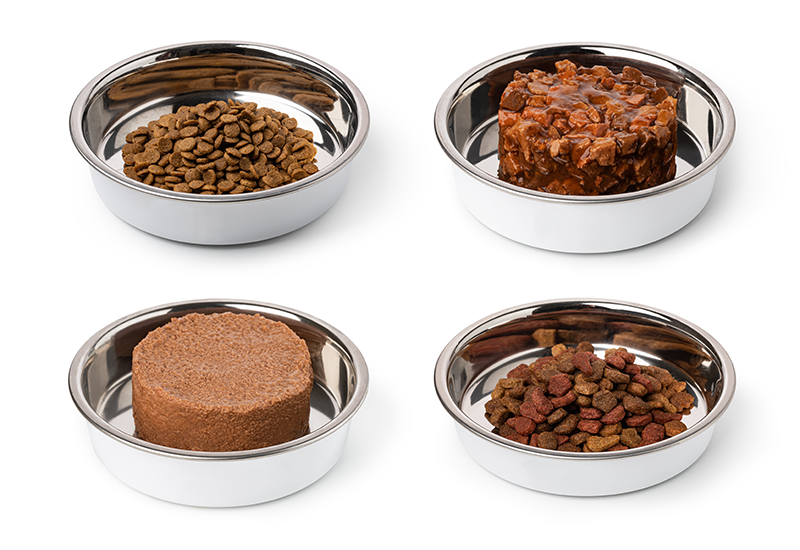
Pet food lines can move from uniform dry pieces to dense wet products, raw or frozen patties, and mixed-component packs. Recipe, moisture, thickness, inclusions, package material, and line speed all affect what the x-ray image can show and how the application should be validated.
Review dense foreign material events with the inspection image and production context attached.
Support review of expected recipe and density variation versus signals that merit QA attention.
Evaluate count, presence, breakage, fill distribution, or package-related conditions where the product and image source support validation.
Use consistent event history and filters to compare activity across products, shifts, machines, and facilities.
Application fit is product-specific. Detection and classification performance depends on the recipe, product thickness, moisture, package, target condition, line speed, and validation set.
RELEVANT APPLICATIONS
The applications below connect common pet food inspection questions to foreign material, product quality and package integrity, weight and count, and QA review workflows.
Review metal, glass, stone, and other dense-material risks where the product and package provide enough contrast.
View applicationBuild product-specific checks for shape, breakage, fill distribution, or package conditions where the image source and format support validation.
View applicationAdd count, presence, underfill, overfill, or checkweigher context for validated packaged formats without treating x-ray as a universal replacement for a checkweigher.
View applicationSearch inspection images and event history by product, lot, line, time window, and review status when QA needs evidence.
View applicationHOW INSIGHTS HELPS
GreyscaleAI Insights gives pet food teams a common place to review the image, event reason, product and line context, related events, and production trends after the line has moved on.
Search by product, lot, line, machine, time window, or event type.
Open the inspection image, AI decision, machine context, and nearby events.
Look for recurring signals by recipe, product, shift, line, or facility.
Support internal review, investigation, customer follow-up, and escalation with a traceable event record.
SYSTEMS AND FIT
Product dimensions, package type, target condition, required speed, available space, and production environment should be reviewed before selecting the machine configuration.
Review standard HRX system options for aperture, conveyor, throughput, and production environment.
Explore HRX SystemsShare the product, package, target conditions, line speed, and sample set so GreyscaleAI can discuss the validation path.
Talk Through FitRELATED PROOF
These examples show the GreyscaleAI inspection and review approach in other food applications. They are not pet food performance claims.
RELATED AI AND PRODUCT-VARIATION PROOF
See how image analysis helped distinguish a true concern from cartilage, ligament, tendon, and normal product variation in a demanding production environment.
Read case studyRELATED PACKAGE-QUALITY PROOF
See how image analysis supported a subtle package-quality workflow using real reject and clean-seal examples.
Read case studyNEXT STEP
Share the product format, package type, target conditions, line speed, current QA process, and any sample product or imagery available. GreyscaleAI can help determine the appropriate inspection and validation path.