CASE STUDY / PROTEIN
Distinguishing true bone from natural poultry variation.
In an anonymized production application, GreyscaleAI used application-specific AI trained on real X-ray images to separate true bone signals from cartilage, ligament, tendon, and normal product structure.
THE CHALLENGE
Bone was not the only structure creating a strong image signal.
Natural poultry anatomy can create patterns that resemble a bone-related event. Cartilage, ligament, tendon, overlap, texture, and density changes all vary by product and production condition. A broad threshold can catch more potential targets, but it can also reject normal product.
Normal anatomy varies
The product background changes across pieces, products, shifts, and plants.
True targets can be small
Bone size, composition, orientation, and surrounding product affect image contrast.
Sensitivity has an operating cost
A method that cannot separate lookalikes can create avoidable rejects and rework.
WHY IT WAS HARD
Fixed assumptions did not represent real production variability.
Classical rules can work when the target and background stay consistent. Poultry production does not. The same rule can respond differently as product structure, thickness, overlap, temperature, and presentation change. The model needed to learn both confirmed bone patterns and the normal structures that should not be rejected.
The inspection problem was not only finding a dense signal. It was deciding whether that signal was true bone or expected product structure.
THE GREYSCALEAI APPROACH
Train and back-check the model against real production images.
GreyscaleAI built an application-specific image model using representative production examples, including confirmed bone events and normal product structures that had caused confusion. The model was then checked across the operating conditions represented in the application.
Capture representative images
Include good product, confirmed bone examples, and difficult lookalikes.
Label the distinctions
Separate true bone from cartilage, ligament, tendon, overlap, and normal texture.
Train and back-check
Evaluate model decisions against known examples and the historical image set.
Validate in production
Review performance across the products, shifts, line conditions, and plants included in the application.
WHAT THE SYSTEM ANALYZED
The decision came from the X-ray evidence, not a generic product rule.
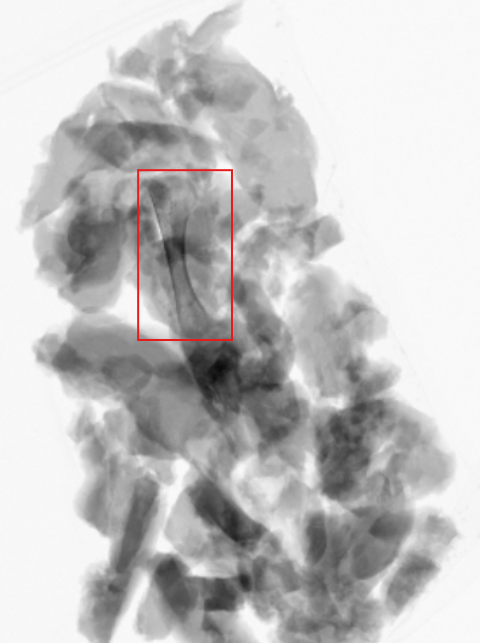
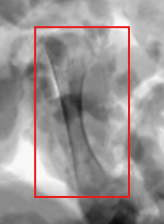
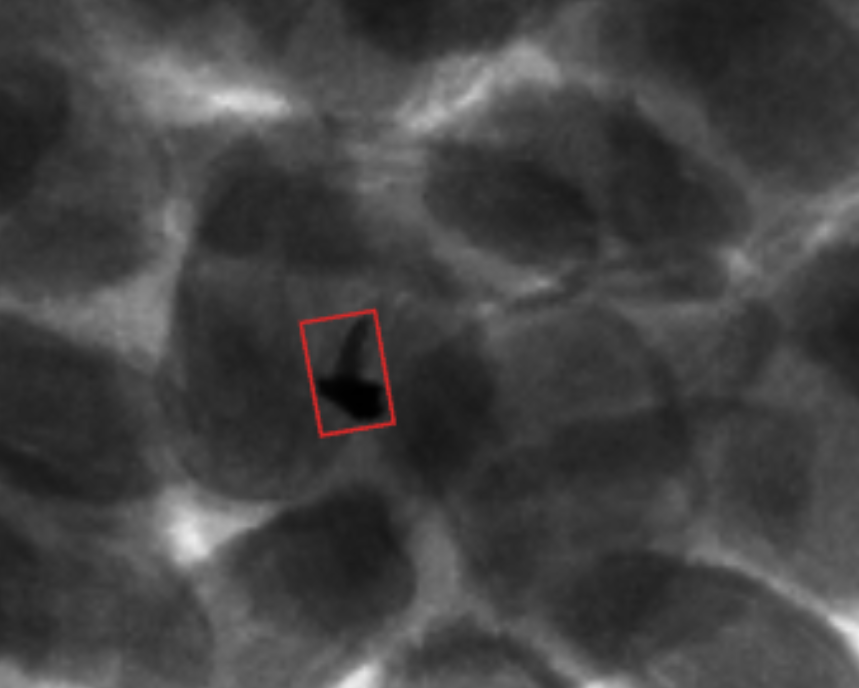
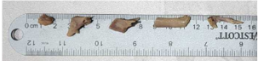
Each inspected image provided the product structure, the candidate region, and the contrast needed to classify the event. The examples below show the evidence at three levels: the full product, the selected review region, and a physical reference sample.
INSIGHTS VISIBILITY
A detection event becomes a reviewable record.
In GreyscaleAI Insights, authorized users can open the X-ray image, review the highlighted region and event classification, and see available product, line, machine, and time context.
ILLUSTRATIVE RECORD, NOT CUSTOMER DATA
Illustrative interface content. Fields shown are representative of the review workflow and are not customer data.
REPORTED OUTCOME
Fewer false rejects without turning down the inspection goal.
The anonymized application reported fewer false rejects than the prior inspection approach while preserving focus on true bone and small dense-material events. The important proof point is improved discrimination between risk signals and normal product variation, not a universal claim that every bone can be detected in every protein product.
Reported production line speed
Reported operating outcome
Products, shifts, and plants represented
Performance is application-specific. Product density, thickness, temperature, package, target size and composition, orientation, line speed, and available image contrast must be validated for each application.
WHERE THIS PROOF APPLIES
Use this case study for difficult protein inspection questions.
This story is most relevant when a protein producer needs to distinguish calcified bone or another dense target from natural anatomy and product variation. It supports a discussion about application-specific AI and validation. It does not establish guaranteed performance for every protein format, target size, or operating condition.
FSQA
Review the image evidence behind a bone-related event.
Operations
Reduce avoidable rework caused by normal product variation.
Corporate quality
Evaluate consistency across products, shifts, and plants.
NEXT STEP
Bring the product, target, and line conditions.
Share the protein format, target bone or foreign material, line speed, package, and representative samples or images. GreyscaleAI can help define the right validation path and inspection-system fit.